PukaPok
Organize, Read, and Understand PDFs Intelligently.
A modern, open-source PDF library manager and viewer designed for clarity, speed, and powerful features. Organize thousands of documents effortlessly, enjoy a comfortable reading experience, and unlock deeper understanding with unique tools built for researchers and professionals.
Stop Fighting Your PDFs
Remember the frustration of disorganized PDF folders? Struggling with outdated interfaces, sluggish viewers, and the lack of proper dark modes? Finding specific information buried in mountains of documents can feel impossible.
PukaPok is the Answer. I built PukaPok from the ground up, inspired by the need for a truly modern solution. It combines elegant library management with a sophisticated, comfortable viewer, packed with smart features you won't find elsewhere.
Everything You Need
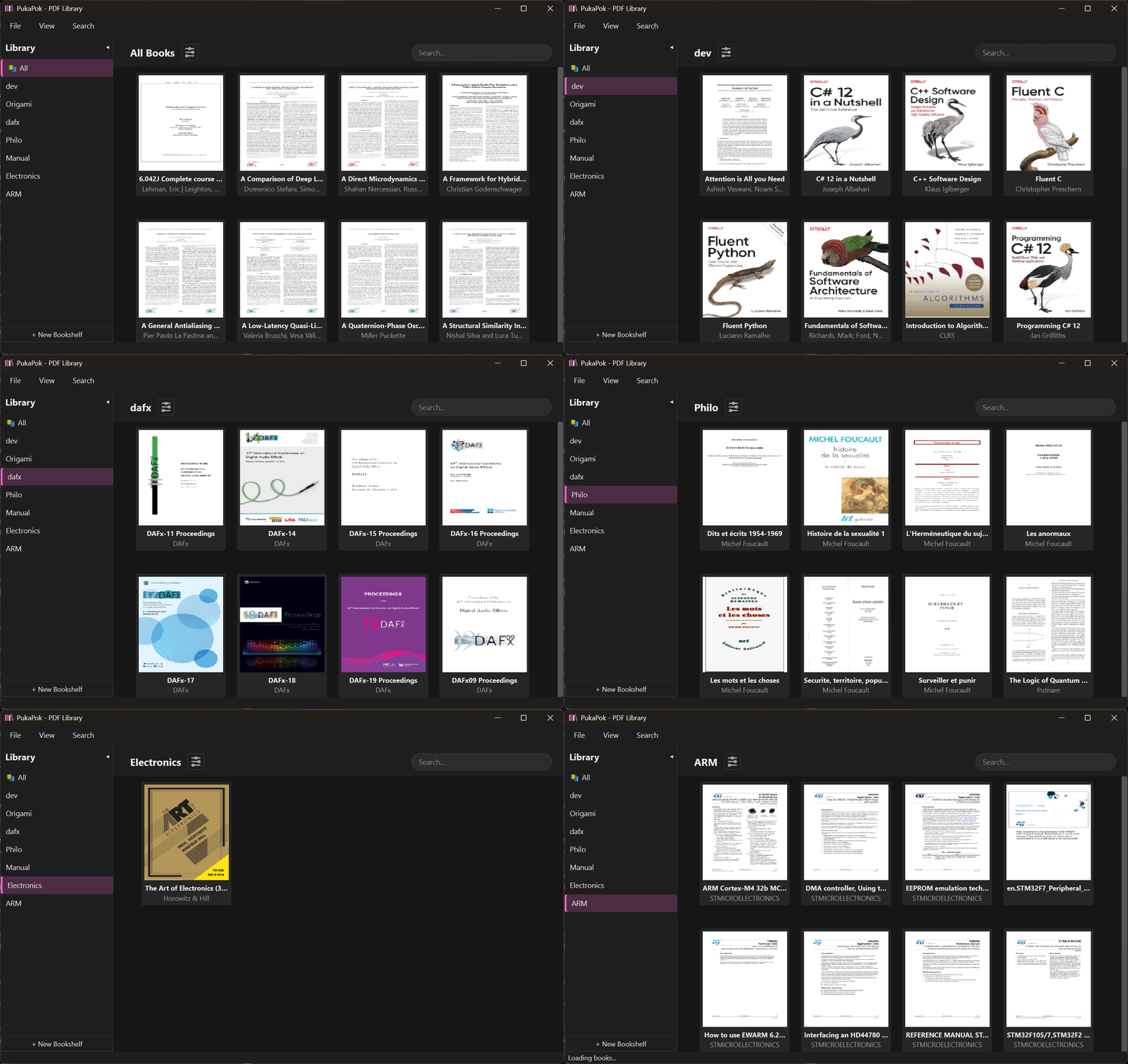
Organize with Ease
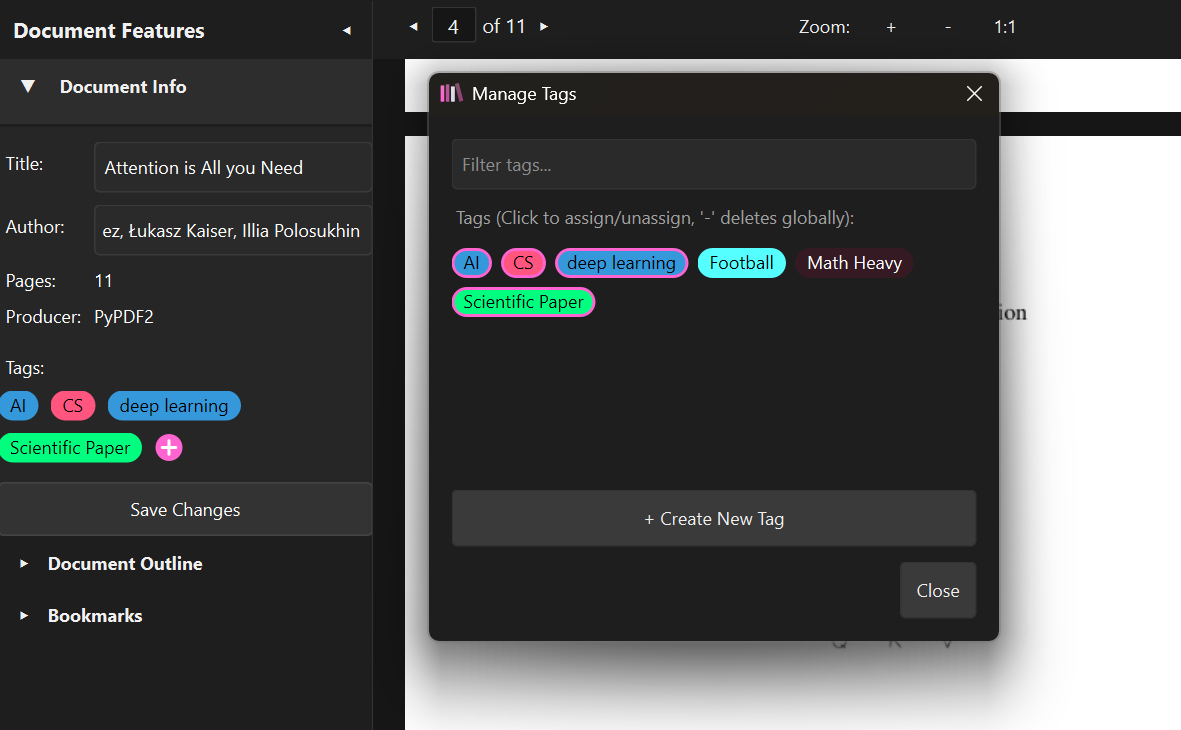
- Intuitive Bookshelves: Group your documents logically.
- Flexible Tagging: Add multiple tags for powerful cross-referencing.
- Simple Import: Drag-and-drop or use the import button.
- Metadata Editor: Quickly fix titles and authors directly within PukaPok.
Read in Comfort
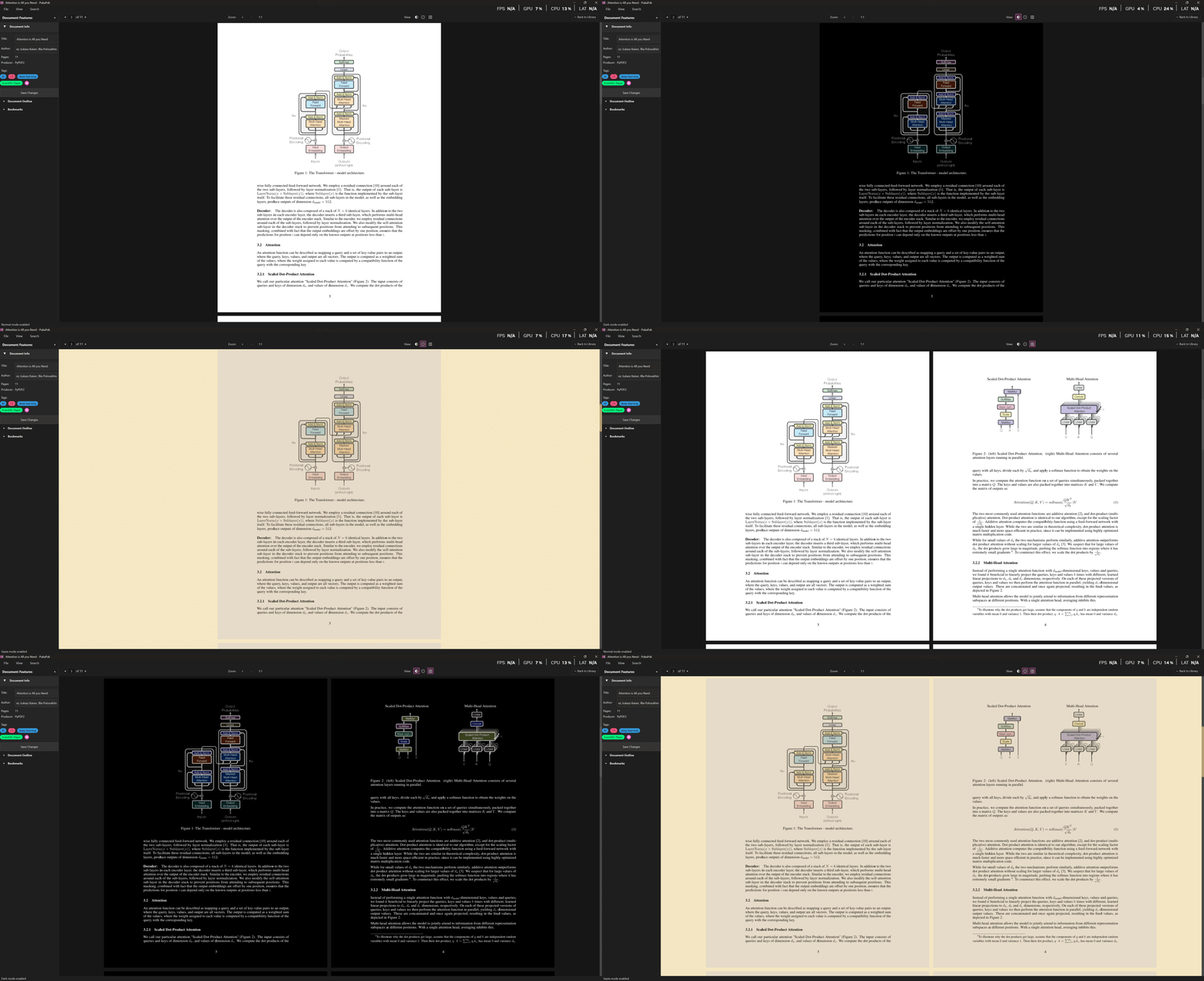
- Fluid Viewing: Smooth scrolling and zooming, even with large files, thanks to multi-phase rendering and advanced caching.
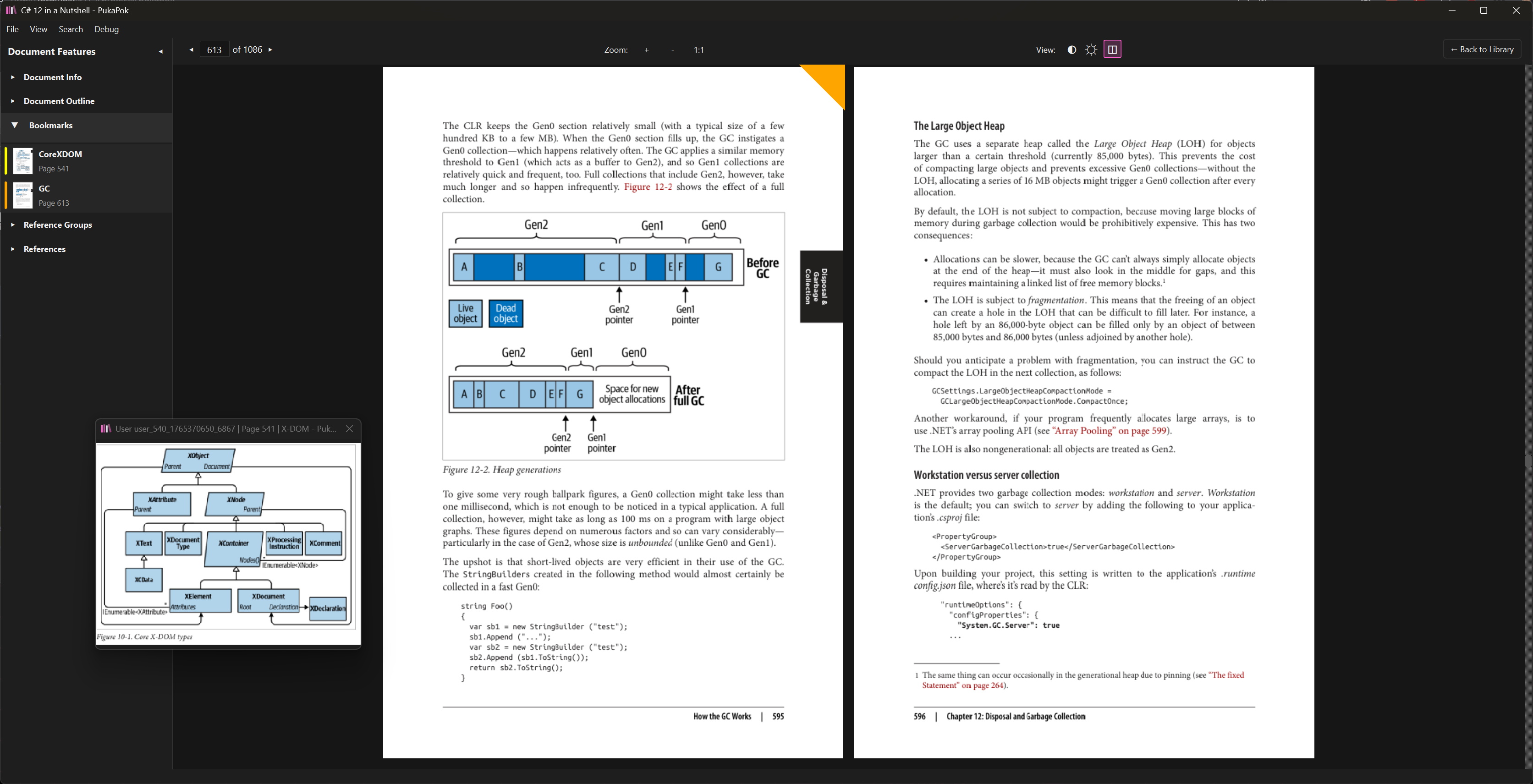
- Multiple Layouts: Choose single-page or two-page spreads, both with continuous scrolling available.
- Eye-Friendly Modes: Unique true dark mode (inverse colors) or a gentle sepia tone.
- Smart Preloading: Anticipates your reading for a seamless experience.
Find Anything, Instantly
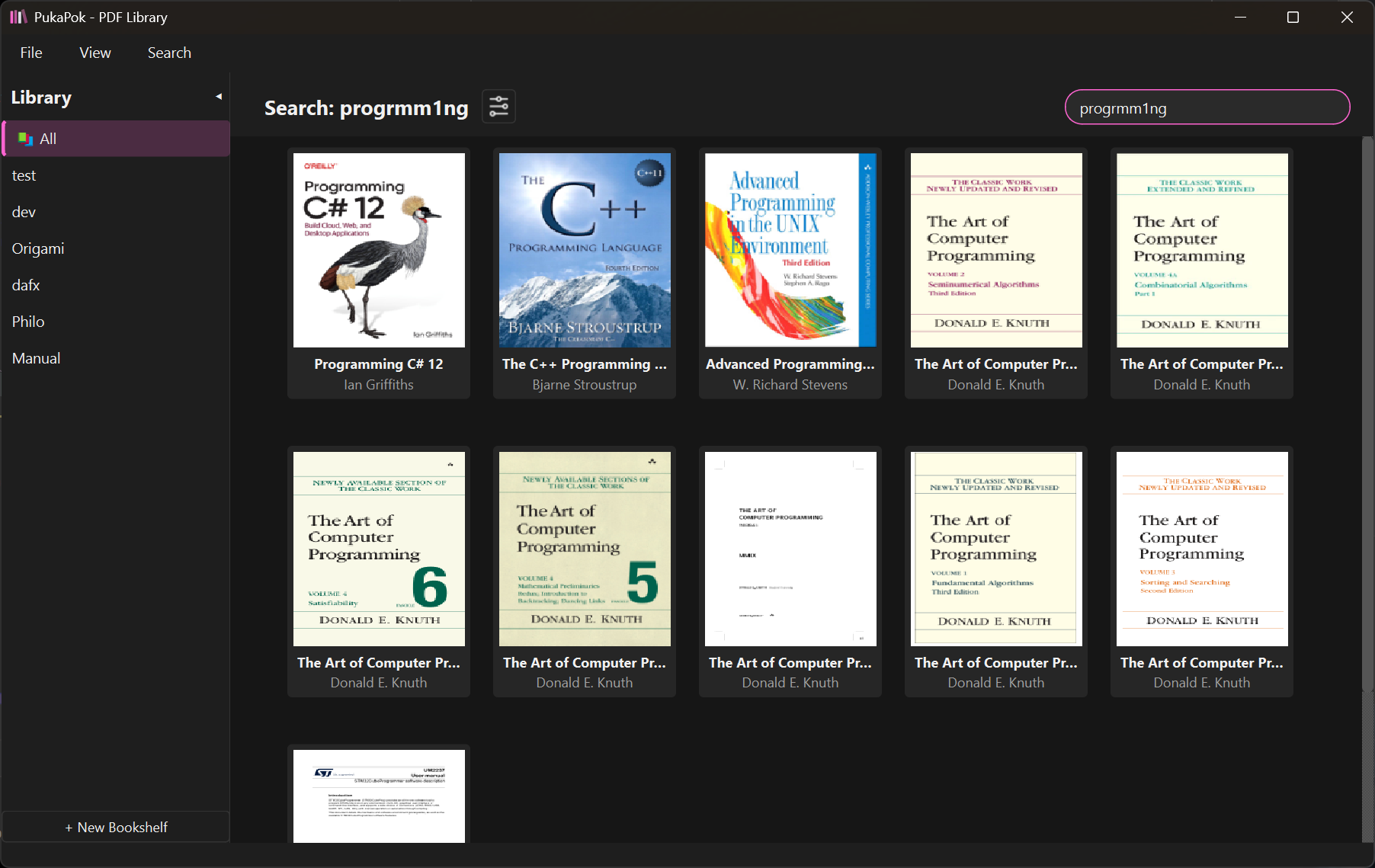
- Fast Search: Locate documents in milliseconds (designed for 10,000+ files).
- Comprehensive Indexing: Search filenames, titles, metadata, tags, and even bookmark comments!
- Advanced Logic: Multi-phase search (exact, compound, fuzzy) finds what you mean.
- (Optional) Semantic Search: Leverage a local LLM for meaning-based search (Your data stays private!).
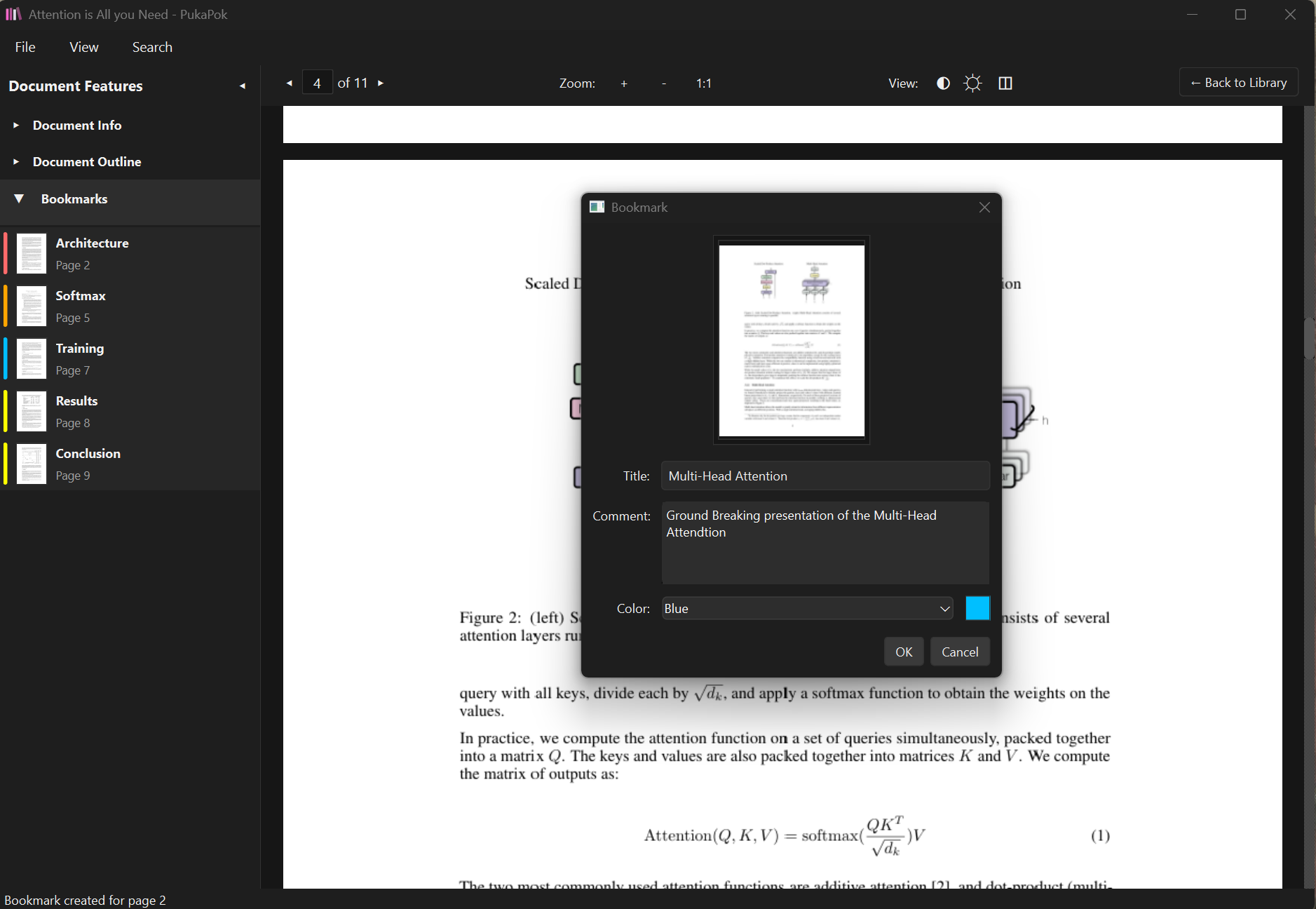
Powerful Bookmarking
- Annotated Bookmarks: Add comments and see page previews directly in your bookmark list.
- Searchable Notes: Your bookmark comments become part of the searchable library index.
Advanced Reference System
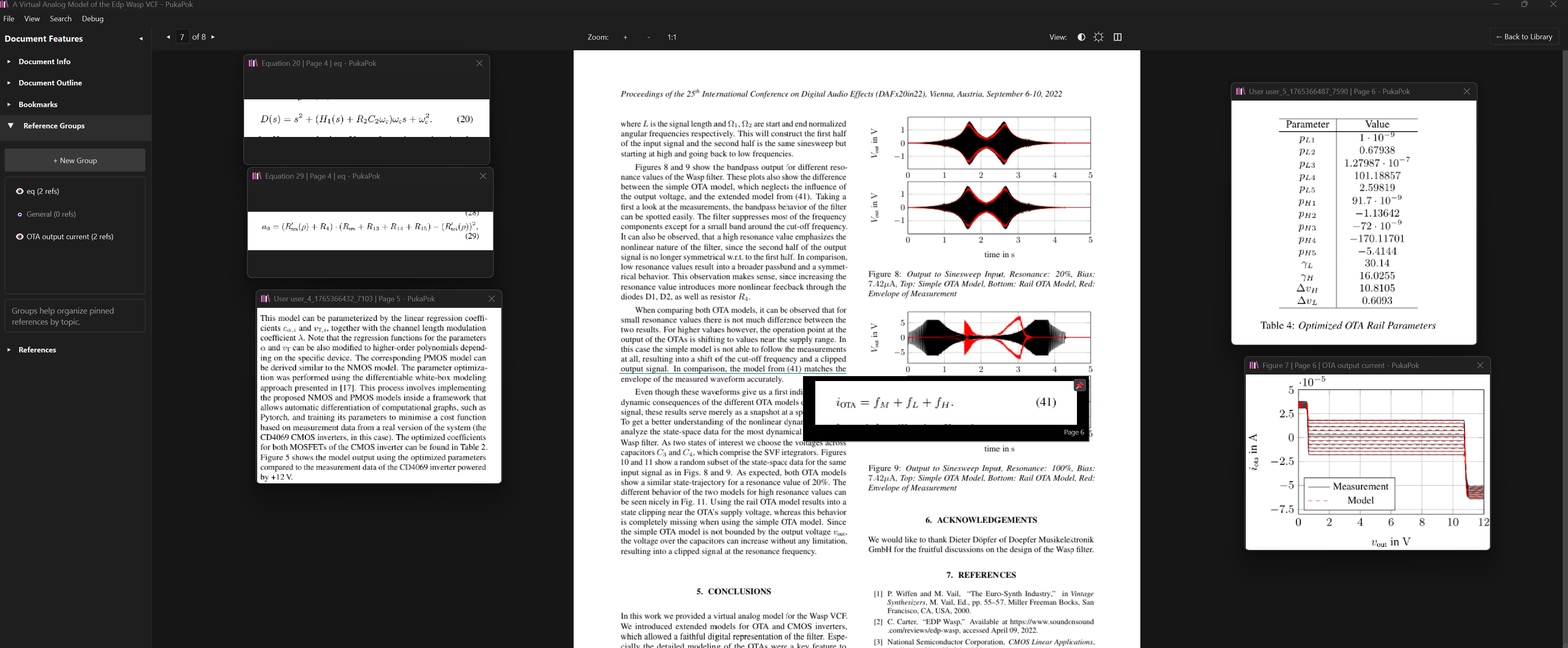
- Smart Hover: Instantly preview equations, figures, and tables by hovering over citations.
- Pinning Power: Pin any preview to keep it visible while you read.
- Custom Pins: Select and pin any rectangular area of the PDF for reference.
- Organized Workflows: Group your pins to show or hide entire sets of information as needed.
A Game-Changer for Scientific Reading
Reading research papers and technical documents just got significantly easier. PukaPok's standout feature automatically identifies references to:
Equations, Figures, and Tables.
Simply hover over a reference citation (e.g., "(12)", "Fig. 3") in the text, and PukaPok instantly displays the referenced item in a convenient pop-up window! No more endless scrolling back and forth. Stay focused and understand complex documents faster.
User-Focused Tools That Work
PukaPok follows a core philosophy: provide a clean, intuitive, and aesthetically pleasing interface without sacrificing power or performance. Every feature is designed with your workflow in mind.
- Lightweight & Fast: Built with efficiency using Python and Qt.
- Scalable: Designed to handle massive libraries and large PDFs smoothly.
- User-Focused: Crafted to enhance your reading and organization workflow.
Who is PukaPok For?
- Researchers & Academics: Leverage the unique reference linking and powerful search.
- Students: Organize course materials and research papers effectively.
- Professionals: Manage technical manuals, reports, and documentation with ease.
- Anyone with a large PDF library: Finally tame your digital documents!
- Dark Mode Enthusiasts: Enjoy a comfortable, truly dark reading experience.
Status & Roadmap
PukaPok is currently in its final stages of preparation for release, though it still requires significant refactoring, code cleaning, and fine-tuning of complex systems. As this is a "side-side project," its completion might take some time, but rest assured, the core is nearly ready for an initial release!
- Availability: Soon for Windows, Linux and macOS(via download & GitLab).
- License: Planned to be Open Source.
- Current Focus: Refactoring & Cleaning, Fine-tuning existing features, especially reference linking.
- Roadmap Includes: PDF Annotation Tools, Bibliography Reference Linking, Enhanced AI Indexing, RAG Capabilities, Support for EPUB/Markdown/HTML.
Get Ready for a Better PDF Experience
Follow the project on GitLab to be notified when PukaPok v1.0 is released!
Or if it's urgent, or if you just want to share your interest in the project, feel free to reach out.
Contact Me